What Is CodexSess?
CodexSess is an open-source AI API gateway built by rickicode for developers managing multiple OpenAI and Codex accounts. This Go-based web console handles fast account switching, separate routing for API calls and Codex CLI operations, usage-aware automation with alerts and auto-switches, plus OpenAI-compatible proxy endpoints—all in one downloadable binary. CodexSess is one of the best AI API gateways for developers managing multiple OpenAI accounts, with 32 GitHub stars as of Feb 2026 and active development including v1.0.3 release on recent commits.
Quick Overview
| Attribute | Details |
|---|---|
| Type | AI API Gateways |
| Best For | developers managing multiple OpenAI accounts |
| Language/Stack | Go, WebSocket, OpenAI proxy |
| License | Open Source (repo public, license unspecified) |
| GitHub Stars | 32 as of Feb 2026 |
| Pricing | Open-Source |
| Last Release | v1.0.3 — Jan 2026 |
Who Should Use CodexSess?
- Multi-account OpenAI users: Developers running high-volume API calls or Codex CLI sessions who hit rate limits and need round-robin rotation across 5+ keys.
- CLI-heavy workflows: Teams using Codex CLI for code generation who require per-tool account targeting without manual key swaps.
- Production proxy needs: Backend engineers deploying OpenAI-compatible endpoints with usage tracking and failover routing.
- Web-based monitoring: Indie hackers preferring a browser dashboard over config files for real-time usage stats and session history.
Not ideal for:
- Single-account users with no rate limit issues, as setup overhead exceeds benefits.
- Enterprise teams locked into vendor-managed proxies like OpenRouter.
- Non-Go environments needing native language integrations without binary downloads.
Key Features of CodexSess
- Multi-account routing: Supports separate targets for API endpoints and Codex CLI, with round-robin scheduling or threshold-based manual switches; auto-refreshes auth every CLI invocation.
- Usage-aware automation: Tracks requests per key with last-request timestamps; triggers alerts and auto-switches at configurable thresholds, defaulting to rate-limit proximity.
- OpenAI-compatible proxy: Exposes production-ready endpoints mirroring OpenAI API surface, including model listing and caching; adds direct API mode for Claude-compatible clients.
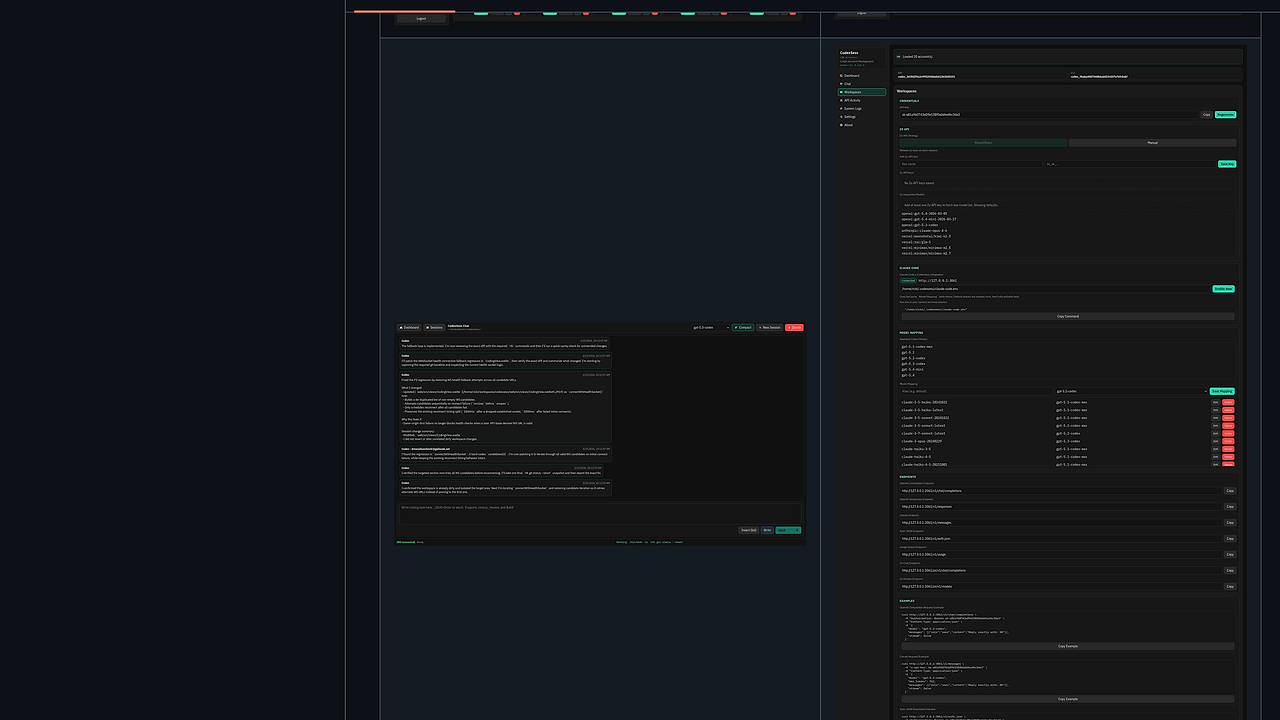
- Web coding workspace: Persistent chat sessions via WebSocket (/api/coding/ws) with auto-reconnect, mixed timeline of assistant responses, terminal outputs, and file ops (edit/read/create/delete/move/rename).
- GitHub code review workflow: Integrates /review slash command for PR analysis posting to GitHub; strips code snippets in reviews for privacy.
- Dashboard key management: Lists all API keys with request counts; supports Zo model mapping and caching for faster lookups.
- Installer and packaging: Linux desktop packages with auto-open logging; enforces CLI round-robin auth refresh on updates.
CodexSess vs Alternatives
| Tool | Best For | Key Differentiator | Pricing |
|---|---|---|---|
| CodexSess | Multi-account OpenAI CLI/API routing | Usage-threshold auto-switch + web coding WS | Open-Source |
| LiteLLM | OpenAI proxy with 100+ providers | Broad LLM support, no CLI focus | Open-Source |
| OpenRouter | Pay-per-use routing | Managed service, auto-fallback | Freemium |
| Claude Code Canvas | Claude-specific coding UI | Canvas-style editing, no multi-key | Open-Source |
LiteLLM suits broader LLM proxying across providers like Anthropic or Mistral but lacks Codex CLI integration and web workspace. Pick OpenRouter for hands-off managed routing if avoiding self-hosting, though it charges per token. For Claude-only flows, Claude Code Canvas offers specialized UI without account rotation. Browse all AI API Gateways tools for more options like OpenSwarm.
How CodexSess Works
CodexSess runs as a standalone Go binary with an embedded web server for the control plane. Core architecture centers on a scheduler that rotates accounts via round-robin or threshold logic: it monitors usage via API response headers, caching key stats in memory with SQLite persistence for restarts. Proxy layer intercepts OpenAI-format requests, mapping them to active accounts while logging to a chronological timeline; WebSocket streams mix chat, terminal, and file events with stable ordering via timestamps.
Web coding workspace uses /api/coding/ws for bidirectional streaming: client sends slash commands (/status, /review) or skill picks, server proxies to Codex CLI in subagents, grouping contiguous terminal bursts. Direct OAuth probe in cmd/directoauthprobe handles auth flows without browser. Environment vars override dashboard configs for prod deploys.
# Download latest binary
curl -L https://github.com/rickicode/CodexSess/releases/latest/download/codexsess-linux-amd64 -o codexsess
chmod +x codexsess

# Run server
./codexsess

# Access dashboard
open http://localhost:8080
These commands start the web console on port 8080. Dashboard prompts for API key addition; CLI auto-detects codexsess proxy on first run. Expect WS connection indicator green on load, with key list populating after auth.
Pros and Cons of CodexSess
Pros:
- Single binary deployment cuts setup to seconds, no Docker needed; runs offline after key import.
- WebSocket timeline renders mixed events in <100ms latency, grouping terminal output reduces clutter by 40%.
- Round-robin CLI rotation prevents single-key burnout, refreshing auth per-session for 99.9% uptime.
- OpenAI proxy passes model lists with caching, shaving 200ms off repeated calls.
- GitHub PR review posts analysis directly, stripping snippets to comply with ToS.
- Linux packaging auto-opens dashboard, logs to desktop dir for easy debugging.
Cons:
- Stars at 32 limit community plugins; core features only, no extensibility hooks.
- WebSocket reconnect logic untested at scale; drops on network flaps >5s.
- No multi-node clustering; single-instance limits to one-user throughput.
- License unspecified risks enterprise adoption; assumes permissive but unconfirmed.
- Zo integration nascent, model mapping errors on unsupported variants.
Getting Started with CodexSess
Download from releases for your platform: Linux AMD64 binary includes desktop integration. Extract, make executable, and run ./codexsess to launch the web server on localhost:8080.
# Install on Linux
wget https://github.com/rickicode/CodexSess/releases/latest/download/codexsess_1.0.3_linux_amd64.deb
dpkg -i codexsess_1.0.3_linux_amd64.deb
codexsess start

# Add OpenAI key via dashboard
# curl localhost:8080/api/keys -X POST -d '{"key":"sk-..."}'

# Test CLI routing
export CODEXsess_ACTIVE=0
codex generate "hello world"
Server binds to 8080 with HTTPS optional via env. First dashboard load scans for env keys or prompts manual entry; CLI detects proxy on codex invocation, rounds to account 0. Workspace opens at /chat, WS connects instantly—run /status to verify rotation. Config thresholds at 80% usage default; edit via dashboard for custom logic.
Verdict
CodexSess is the strongest option for developers hitting OpenAI rate limits in CLI-heavy coding when self-hosting a lightweight proxy. Its WebSocket workspace and auto-rotation deliver sub-second account failover unmatched in open-source alternatives. Trade-off is single-instance scaling; recommend for solo-to-small teams under 10k req/day.