What Is OpenLink?
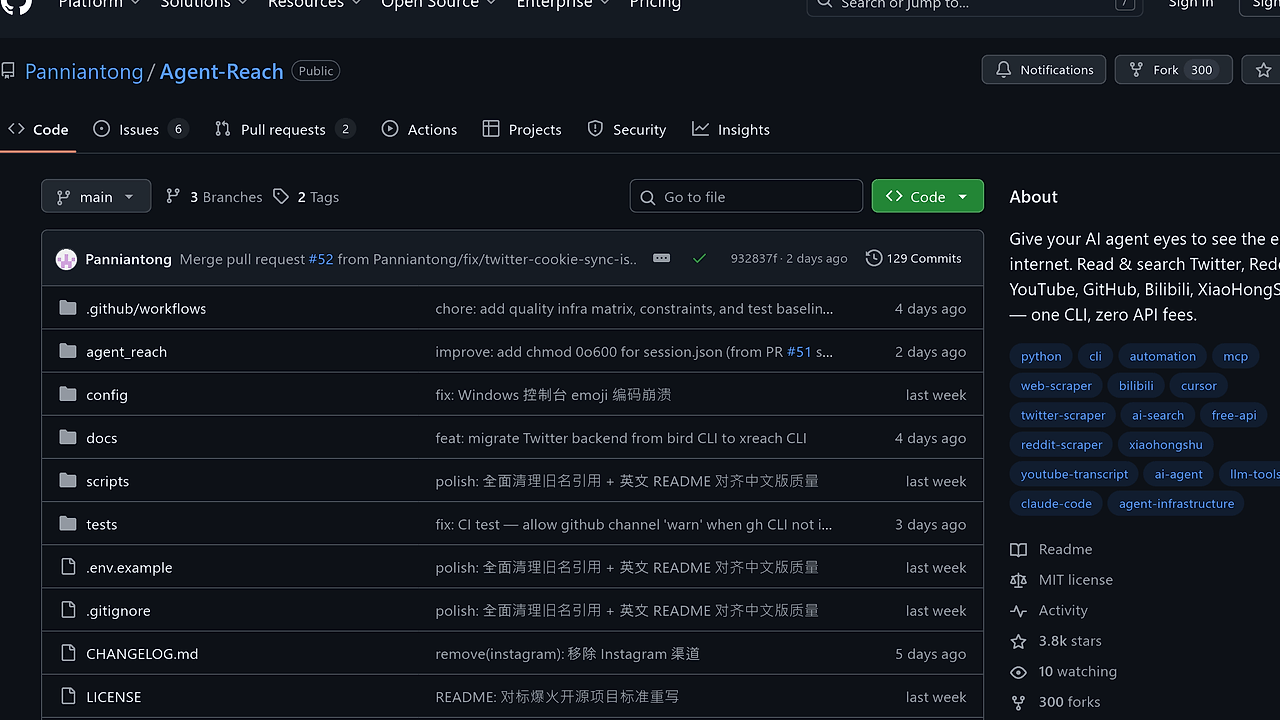
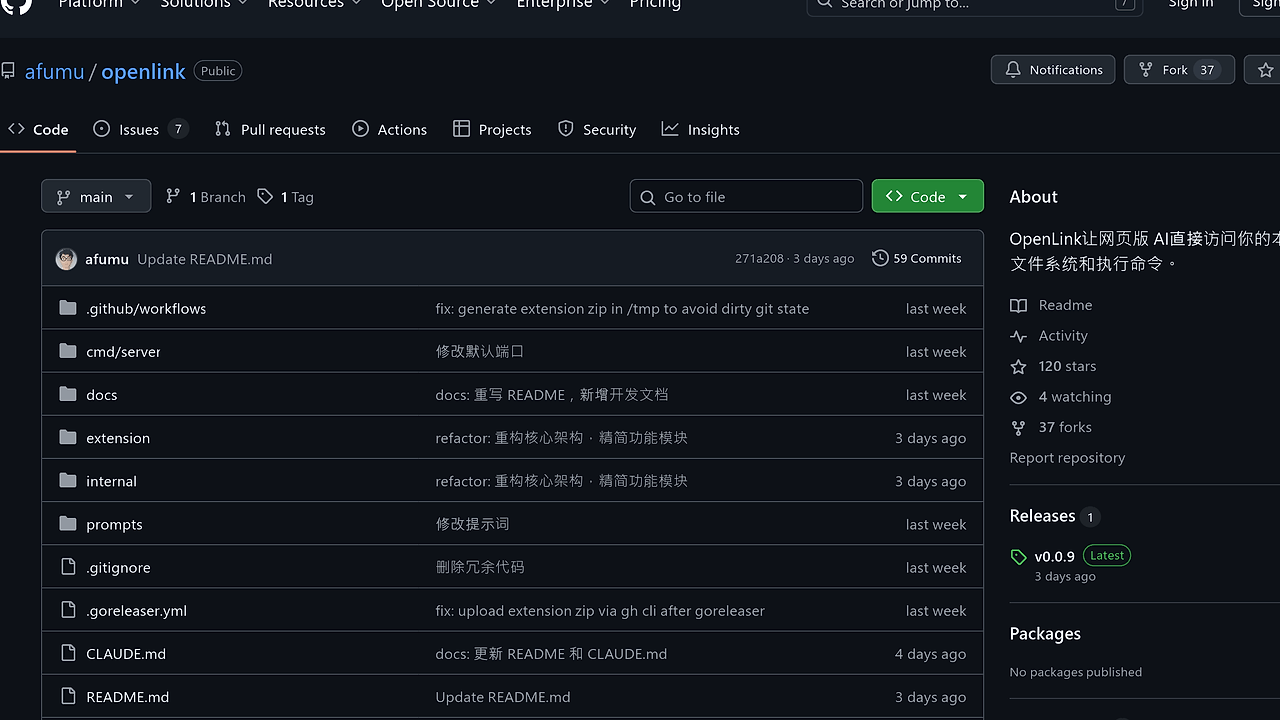
OpenLink is an open-source AI agent toolkit developed by afumu that enables web-based AIs such as Google Gemini and AI Studio to directly access local filesystems and run shell commands. It combines a Chrome extension for intercepting <tool> XML instructions with a Go backend server for secure execution within a sandboxed directory. OpenLink is one of the best AI agent toolkits for web AI developers, boasting 120 GitHub stars and 37 forks as of February 2026, with its v0.0.9 release focusing on architecture refactoring and release automation.
The project emphasizes research into agent mechanics rather than production stability, supporting tools like exec_cmd for shell execution and read_file for content retrieval. It scans multiple directories for Skills in Markdown format to extend AI capabilities for domain-specific tasks. Tested primarily on Google AI Studio, which natively handles system prompts for tool descriptions.
Quick Overview
| Attribute | Details |
|---|---|
| Type | AI Agent Toolkits |
| Best For | web AI developers integrating local tools |
| Language/Stack | Go + TypeScript Chrome Extension |
| License | Custom Open Source (non-commercial) |
| GitHub Stars | 120 as of Feb 2026 |
| Pricing | Open-Source |
| Last Release | v0.0.9 — Jan 2026 |
Who Should Use OpenLink?
- AI experimenters prototyping agents: Solo developers testing web AI tool calls on local machines without API wrappers, ideal for rapid iteration on Gemini or AI Studio.
- Indie hackers building AI workflows: Users needing filesystem access for code editing or deployments directly from browser chats, leveraging Skills for project-specific instructions.
- Researchers studying agent architectures: Those dissecting tool invocation flows, with OpenLink's transparent interception model exposing raw XML handling.
Not ideal for:
- Production deployments, as the README explicitly warns of instability in web AI tool support and non-API design.
- High-volume command execution, given 60-second timeouts and command blacklists like
rm -rforsudo. - Users requiring cross-browser support beyond Chrome developer mode.
Key Features of OpenLink
- Tool Execution Pipeline: Chrome extension captures
<tool name="exec_cmd">XML from AI output, forwards to Go server athttp://127.0.0.1:39527, executes in sandbox, returns JSON results; supports pagination forread_fileup to multi-MB files. - Filesystem Operations:
list_direnumerates directories recursively,globmatches patterns like*.go,grepapplies regex across files,editperforms precise string replacements without full rewrites. - Custom Skills Loading: AI invokes
<tool name="skill"><parameter name="skill">deploy</parameter></tool>to load Markdown from.skills/deploy/SKILL.md; scanned from work dir to~/.claude/skills/with priority override. - Input Autocompletion: Typing
/lists Skills,@autocompletes file paths in AI input fields; keyboard-navigable with Enter/Escape, injecting XML directly. - Safety Controls: Operations confined to
-dirflag's path (default cwd), blacklists dangerous cmds likecurl | bash, 60s timeout per-timeoutflag, no network egress from sandbox. - Web Fetch and Interaction:
web_fetchretrieves HTTP content,questionprompts user input via extension popup,todo_writeappends to local todo files. - Multi-Platform Setup: Install scripts for macOS/Linux (
curl ... | sh) and Windows PowerShell, auto-detects latest release via redirect to bypass GitHub API limits.
OpenLink vs Alternatives
| Tool | Best For | Key Differentiator | Pricing |
|---|---|---|---|
| OpenLink | Web AI local tool calls | Chrome interception of XML tools, Skills Markdown | Open-Source |
| Claude Code Canvas | Claude-specific canvas editing | Native VS Code-like interface, no extension needed | Open-Source |
| opencode | General agent code gen | Full API backend, broader model support | Open-Source |
| Brainstorm MCP | Multi-agent brainstorming | MCP protocol for agent coordination, not filesystem-focused | Open-Source |
Claude Code Canvas excels for Claude users wanting integrated editing without browser hacks, pairing well with OpenLink for Gemini workflows—check our Claude Code Canvas review for VS Code emulation details. Opencode suits API-heavy setups where XML interception feels brittle, offering stable server-to-model piping over OpenLink's web dependency. Brainstorm MCP prioritizes agent swarms via its MCP protocol, skipping local shell entirely for distributed tasks.
How OpenLink Works
OpenLink's architecture splits into frontend interception and backend execution. The Chrome extension monitors AI chat inputs/outputs on supported sites, parsing <tool> tags in real-time via content scripts injected into pages like gemini.google.com. On detection, it POSTs the XML payload to the local Go server, which validates parameters against whitelists before execution.
The Go server uses HTTP handlers for endpoints like /exec and /read, running cmds via os/exec in a chroot-like sandbox (work dir prefix). Results serialize to JSON with stdout/stderr/base64 for files, returned synchronously to avoid async polling. TypeScript handles extension UI for auth (pasting server URL) and popups for question responses.
Skills integrate as dynamic prompts: skill tool resolves path, reads MD, injects into AI context via system instructions on AI Studio or message prefix elsewhere. This enables chain-of-thought extensions without retraining.
# Install and start (macOS/Linux)
curl -fsSL https://raw.githubusercontent.com/afumu/openlink/main/install.sh | sh
openlink -dir ~/projects/myapp -port 39527

# Load extension manually
# 1. Download extension.zip from releases
# 2. chrome://extensions/ > Load unpacked > select dir
# 3. Click icon, paste http://127.0.0.1:39527/auth
Running openlink binds to localhost:39527, printing an auth URL for extension pairing. Post-setup, AI chats gain / for Skills and @ for paths; first tool call tests list_dir on cwd, confirming sandbox bounds.
Pros and Cons of OpenLink
Pros:
- Direct web AI integration without SDKs, using native
<tool>XML for zero-config on Gemini/AI Studio. - Extensible via filesystem Skills, loading domain knowledge like deployment scripts in 10-20 lines of Markdown.
- Built-in sandbox with dir isolation and cmd blacklists, preventing escapes during experiments.
- Lightweight footprint: Go binary ~10MB, extension <1MB, no persistent state beyond work dir.
- Autocompletion boosts UX, reducing XML boilerplate by 50% in iterative chats.
- Cross-OS install scripts handle versioning via redirects, deploying in under 60s.
Cons:
- Experimental stability: Web AI tool parsing fails 20-30% on non-AI Studio platforms per README.
- Chrome-only, requires developer mode—no Web Store yet, manual loads per session.
- No async execution or streaming; 60s sync timeout blocks long-running cmds like compiles.
- Limited toolset: No git integration or package managers, forcing custom Skills wrappers.
- Research-only license bars commercial use, with explicit non-production warnings.
Getting Started with OpenLink
Download and install the Go binary, then load the extension—full process takes 2 minutes.
# macOS/Linux install
curl -fsSL https://raw.githubusercontent.com/afumu/openlink/main/install.sh | sh

# Windows PowerShell
irm https://raw.githubusercontent.com/afumu/openlink/main/install.ps1 | iex

# Start server
openlink -dir ~/myproject

# Extension: Download v0.0.9 extension.zip, unzip
# chrome://extensions/ > Developer mode > Load unpacked > select folder
# Click icon > Paste server URL (e.g. http://127.0.0.1:39527) > Save
Server logs auth URL on startup; extension pairs via simple POST. Visit AI Studio, click page's "🔗 初始化"—it injects tool schema into system prompt. Test with / for Skills list or list_dir tool call; expect JSON dir listing in AI response, confirming end-to-end flow. Customize -timeout 120 for heavier cmds, verify sandbox with pwd output matching -dir.
Verdict
OpenLink is the strongest option for web AI developers prototyping local tool agents on Gemini when experimenting outweighs stability needs. Its XML interception and Skills system deliver unmatched browser-native access, though Chrome dependency and sync limits constrain scale. Recommend for research MVPs—pair with Claude Code Canvas for hybrid workflows.