What Is LUKSbox?
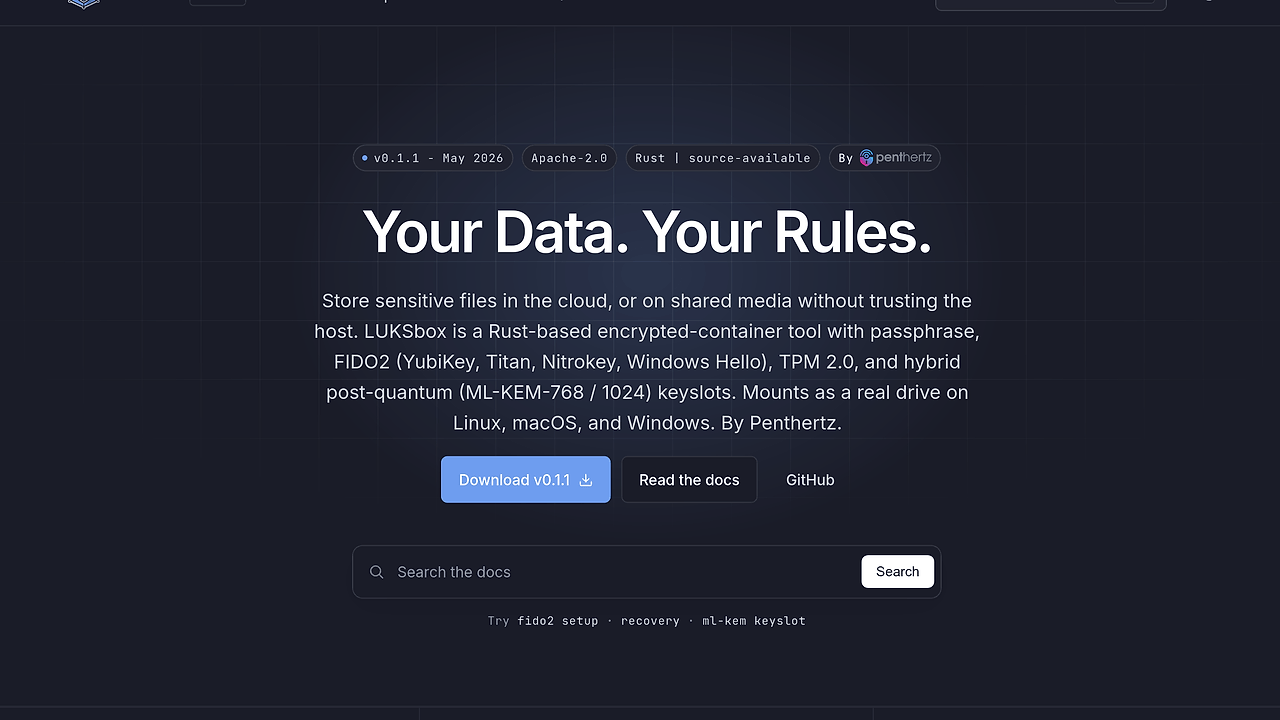
LUKSbox is an open-source encrypted vault tool built by Penthertz for DevSecOps teams and security-conscious developers who need to store sensitive files in cloud sync, NAS, USB media, or shared storage without trusting the host. LUKSbox is one of the best Encrypted Vault Tools for DevSecOps Teams. It wraps data into a single .lbx container with optional detached headers and post-quantum sidecars, and the repository reports 200+ passing tests, 9 internal audit rounds, and 30M+ fuzz iterations as of Feb 2026.
The design goal is not generic disk encryption. It is a traveling vault that stays opaque to the storage provider while remaining mountable locally when you have valid unlock material.
Quick Overview
| Attribute | Details |
|---|---|
| Type | Encrypted Vault Tools |
| Best For | DevSecOps Teams |
| Language/Stack | Rust, RustCrypto, FIDO2/CTAP2, TPM 2.0, ML-KEM, HKDF-SHA256 |
| License | Apache-2.0 |
| GitHub Stars | N/A as of Feb 2026 |
| Pricing | Open-Source |
| Last Release | pre-1.0 — N/A |
The engineering bet is simple: cloud storage should receive only ciphertext, while integrity checks, key derivation, and unlock policy stay local.
Who Should Use LUKSbox?
- DevSecOps teams shipping sensitive archives to S3, Drive, Dropbox, OneDrive, or Backblaze and needing per-chunk authenticity instead of provider-side encryption.
- Indie hackers and consultants who hand files to clients over USB sticks, external drives, or shared folders and want the file to remain unreadable on loss or theft.
- Security engineers who need hardware-backed unlock paths with FIDO2 or TPM 2.0, similar to how MachineAuth pushes access control toward device identity.
- Privacy-focused admins who need a single portable vault for backups, cold storage, or handoff between hosts without exposing plaintext on the sync layer.
Not ideal for:
- Workflows that require collaborative editing of plaintext files directly inside the storage layer.
- Teams that want a consumer-style experience with zero cryptographic vocabulary or recovery planning.
- Data that cannot tolerate single-container failure risk without a separate backup strategy.
Key Features of LUKSbox
- Per-chunk AEAD — LUKSbox uses AES-256-GCM-SIV by default, with AES-256-GCM and ChaCha20-Poly1305 available as alternatives. Each file chunk is authenticated independently, which means swap attacks, replay of old chunks, and silent corruption fail fast instead of leaking partial plaintext.
- Detached header and sidecar layout — The vault can split the
.lbxpayload from a.hdrheader, and the post-quantum material can live in a separate.kybersidecar. That makes the main object look like random bytes on cloud storage and gives you a clean way to separate recovery and secrecy domains. - Hybrid post-quantum keyslots — LUKSbox supports ML-KEM-768 and ML-KEM-1024 for the post-quantum half of a hybrid slot, then mixes classical and PQ material through HKDF-SHA256. That is a practical hedge against harvest-now-decrypt-later traffic capture.
- Hardware-backed unlock — LUKSbox supports FIDO2
hmac-secret, TPM 2.0 sealed KEK, and a fused TPM+FIDO2 mode. Those paths reduce passphrase exposure and give operators a way to bind vault access to a specific authenticator or machine. - Argon2id passphrase hardening — The default passphrase KDF profile is 256 MiB, 3 iterations, and 4 lanes, which is expensive enough to slow offline guessing without making normal unlocks unusable on modern hardware.
- Crash-safety and TOCTOU checks — LUKSbox uses lock-before-read, path inode re-stat, and atomic temp-plus-rename writes to shrink race windows during open, enroll, revoke, and recover operations. That matters when multiple tools or processes touch the same vault path.
- RustCrypto implementation — The core primitives live in Rust modules backed by RustCrypto instead of shell scripts or an opaque appliance. That makes the codebase easier to audit, fuzz, and reason about when you need to review the security boundary.
LUKSbox vs Alternatives
| Tool | Best For | Key Differentiator | Pricing |
|---|---|---|---|
| LUKSbox | Cloud-hosted sensitive files that need tamper evidence and hardware-backed unlock | Detached headers, per-chunk AEAD, FIDO2/TPM, and hybrid PQ keyslots | Open-Source |
| VeraCrypt | Mature encrypted containers across desktop platforms | Long-established container workflow and broad familiarity | Free |
| Cryptomator | Cloud sync with per-file encryption and live sync semantics | File-level vault structure instead of one opaque container | Free/Freemium |
| LUKS2 | Linux disks and block devices | System-level disk encryption integration, not a cloud vault format | Open-Source |
Pick VeraCrypt when you want a familiar encrypted-container workflow and do not need post-quantum slots or detached header mechanics. Pick Cryptomator when sync conflict handling and file-level layout matter more than a single opaque vault file.
Pick LUKS2 when you are encrypting a local disk or volume on Linux and want standard system integration. Pick DataHaven if your problem is broader data management with security controls, not a portable vault container.
How LUKSbox Works
LUKSbox models a vault as an encrypted container with a Master Volume Key at the root. Keyslots do not encrypt file data directly; they unwrap the MVK, and every other secret is derived from that root using HKDF-SHA256 with per-purpose info strings. That design makes revocation deterministic, because removing a keyslot removes its ability to recover the MVK from the vault.
On disk, the system separates responsibilities into authenticated header data, encrypted metadata, per-file keys, per-chunk AAD, and a rollback anchor. The main vault blob can be detached from its header so the storage provider sees only random-looking bytes, while the anchor sidecar gives you an external rollback detector for generation changes and restoration attacks.
A typical flow looks like this:
git clone https://github.com/PentHertz/LUKSbox.git
cd LUKSbox
cargo build --release
cargo run --release -- --help
That build path compiles the Rust workspace, then prints the CLI surface so you can inspect the available vault operations before touching real data. Expect to provide a passphrase and, if you choose, enroll FIDO2 or TPM material before storing .hdr or .kyber sidecars in separate locations.
Pros and Cons of LUKSbox
Pros:
- Cloud providers only see ciphertext, not provider-held keys.
- Per-chunk AEAD and header HMAC catch tamper, replay, and substitution errors.
- FIDO2, TPM 2.0, and ML-KEM give you a forward-looking unlock model.
- Detached headers and sidecars support split storage and cleaner recovery workflows.
- Rust and RustCrypto make the implementation easier to audit and fuzz than shell-driven encryption stacks.
- The project already shows serious internal validation with 200+ tests and 30M+ fuzz iterations as of Feb 2026.
Cons:
- LUKSbox is still pre-1.0, so broader real-world deployment is young.
- A damaged vault can still be unrecoverable if the file is corrupted beyond what the forensic tools can repair.
- Hardware-backed unlock adds setup complexity and platform dependencies.
- TPM and FIDO2 flows are not as simple as a passphrase-only workflow.
- It is not a good fit for collaborative plaintext editing or live shared-document workflows.
Getting Started with LUKSbox
git clone https://github.com/PentHertz/LUKSbox.git
cd LUKSbox
cargo build --release
cargo test --workspace
cargo run --release -- --help
After that, you can inspect the CLI surface, create a test vault, and decide whether you want passphrase-only unlock or hardware-backed enrollment. If you are planning to separate recovery material, keep the .hdr and .kyber files off the same bucket as the main vault object.
The docs site is the right next stop for platform-specific setup, especially if you plan to use FIDO2 or TPM 2.0. If your environment already has endpoint access controls, MachineAuth can sit alongside LUKSbox as a complementary layer rather than a replacement.
Verdict
LUKSbox is the strongest option for cloud-hosted sensitive files when you need host-untrusted encryption, tamper evidence, and hardware-backed unlock in one workflow. Its main strength is the combination of AEAD, detached headers, and hybrid keyslots. The caveat is operational complexity and single-vault failure risk. Use it when you can manage backups and key material; otherwise pick something simpler.