What Is lazar?
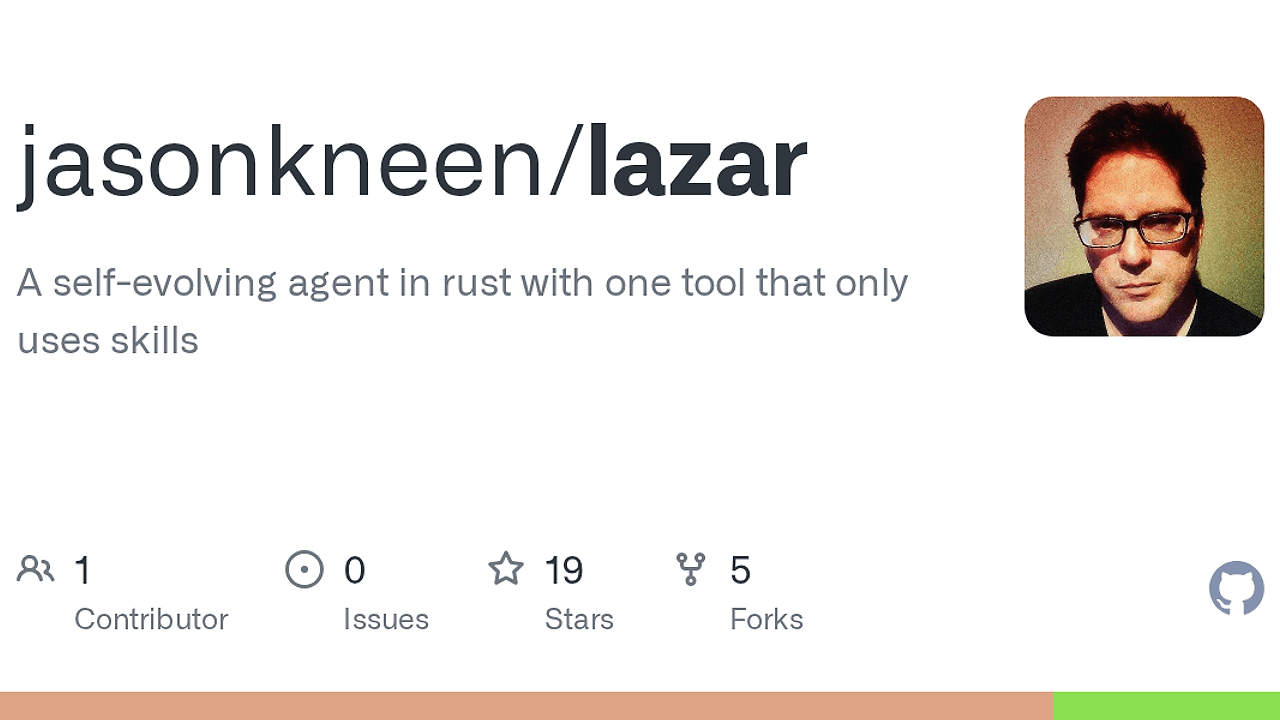
lazar is a Rust-based AI agent harness built by Jason Kneen that wraps Claude around one sandboxed shell primitive, execute(command). lazar is one of the best AI Agent Harnesses tools for developers who want a self-evolving terminal agent with durable state on disk, immutable kernel behavior, and an append-only log that auto-rotates at about 10 MB. The design is intentionally narrow: one tool, one protocol, and all real capability pushed into skills, memory, and filesystem state.
That matters because lazar does not hide the agent behind a giant orchestration layer. It exposes the runtime plainly, so you can inspect the kernel, understand what the agent can do, and move capabilities by copying markdown files instead of retraining a black box.
Quick Overview
| Attribute | Details |
|---|---|
| Type | AI Agent Harnesses |
| Best For | developers who want self-evolving command-line agents |
| Language/Stack | Rust, Bash, Anthropic Claude, sandbox-exec, JSONL |
| License | MIT |
| GitHub Stars | N/A as of Apr 2026 |
| Pricing | Open-Source |
| Last Release | N/A |
Who Should Use lazar?
- Indie hackers building internal helpers, repo bots, or command-line automations who want an agent they can shape through files instead of a SaaS dashboard.
- Platform engineers who need an agent runtime with explicit state on disk, append-only events, and a small permission surface they can audit.
- Toolsmiths and agent tinkerers who want to experiment with skill discovery, prompt recursion, shell handoff, and persistent memory layouts.
- CTOs and staff engineers who need a reproducible local agent model that is easy to inspect, fork, and vendor into a custom workflow.
Not ideal for:
- Teams that need Linux or Windows support out of the box, because lazar depends on macOS features like
sandbox-execandchflags uchg. - Users who want a fully managed, browser-first assistant with no shell, no API key, and no filesystem maintenance.
- Workflows that require broad tool access beyond bash, since lazar intentionally keeps the action surface to one command executor.
Key Features of lazar
- Single action surface — lazar gives the model exactly one tool,
execute(command), which keeps behavior easy to reason about and limits the agent's blast radius. The shell is sandboxed, so every action is visible and mediated through bash rather than hidden behind extra plugins. - Immutable kernel — the built binary is locked with
chflags uchg, and the source tree is read-only after setup. That means the runner itself is treated as a sealed core, while evolution happens in skills and memory instead of in the execution engine. - Skills as filesystem entries — capabilities live as markdown files under
skills/, so the agent can read, write, and organize behavior as plain text. This makes capabilities portable and versionable, and it maps well to how developers already manage config and docs. - Append-only event stream — every prompt, response, tool call, and result is recorded to
logs/stream.jsonl. That creates a full audit trail and makes it possible to build TUIs, analyzers, or summarizers on top of the same event stream. - Structured
--output-format stream-json— lazar can emit structured stream JSON for programmatic consumers. That is useful if you want to pipe events into another process, build a custom TUI, or post-process runs withjq. - Portable skill model — the seed skills reference
$LAZAR_HOME,$LAZAR_SKILLS,$LAZAR_MEMORY,$LAZAR_WORKSPACE, and$LAZAR_LOGSinstead of hardcoded paths. That makes the skill pack portable across agent roots as long as the host exports the same environment variables. - Reset and migration utilities — lazar includes
--reset-all, source update controls, and a migration script for moving from older installs. These scripts make the lifecycle explicit, which matters when the runtime is designed to mutate its own skills over time.
lazar vs Alternatives
| Tool | Best For | Key Differentiator | Pricing |
|---|---|---|---|
| lazar | Self-evolving CLI agents with file-backed memory | Single-tool runtime, immutable kernel, skills on disk | Open-Source |
| OpenSwarm | Multi-agent orchestration | Coordinates multiple agents instead of one shell-first agent | Open-source |
| Claude Context Mode | Managing long-lived context and prompt state | Focuses on context handling, not kernel immutability or shell automation | Not stated |
| Brainstorm MCP | Planning and idea generation workflows | Better for structured thinking than autonomous filesystem evolution | Not stated |
Pick OpenSwarm if your problem is task decomposition across several agents, not a single agent that learns through skills. Pick Claude Context Mode if the bottleneck is context retention rather than command execution. Pick Brainstorm MCP when you want upstream planning before any shell action starts.
How lazar Works
lazar uses a small Rust kernel as the control plane and keeps the rest of the system as files on disk. The kernel takes a prompt with -p, calls Claude over SSE, and exposes one tool call, execute(command), which runs through sandbox-exec. That design keeps the model's action space minimal and makes every effect observable through the shell and the JSONL event stream.
The architecture is deliberately split between an immutable core and mutable capabilities. The core lives in bin/lazar and src/, while skills, memory, workspace, and logs live under ~/lazar/ or whatever LAZAR_HOME points to. Nested lazar -p calls are isolated by default so a child agent does not automatically inherit the parent's Anthropic key, which is a sane default for recursive agent workflows.
lazar -p 'build a skill that prints the current time, then use it'
That command sends the prompt to lazar, which then asks Claude to decide whether it needs a bash action. If the agent writes a new skill, it lands as a file under skills/, and future runs can load it without changing the kernel. If you need subprocesses to launch child lazar sessions, you can opt in with LAZAR_TOOL_INHERIT_ANTHROPIC_API_KEY=1, but the default behavior keeps recursion isolated.
Pros and Cons of lazar
Pros:
- The runtime surface is tiny, which makes failures easier to debug than multi-tool agent stacks.
- Skills stored as files are easy to inspect, diff, copy, and port to another harness.
- The immutable kernel reduces the chance that the agent mutates its own execution engine.
- The append-only
stream.jsonllog gives you a full audit trail for postmortems and analytics. - Structured
stream-jsonoutput makes integration with TUIs and log processors straightforward. - The macOS sandbox and immutable flags create a hard boundary between the agent and its core runner.
Cons:
- lazar is macOS-only in practice because it depends on
sandbox-execandchflags uchg. - The agent still requires an Anthropic API key, so software is open-source but usage is not free at runtime.
- There is no broad plugin ecosystem; if you want browser control, database tools, or cloud APIs, you must add them as skills or wrappers.
- The system does not auto-load its full history into each run, so memory quality depends on the skills you author.
- The shell-first model can be unforgiving for users who want guardrails beyond sandboxed bash.
Getting Started with lazar
The fastest way to try lazar is to clone the repo, build the kernel, export an Anthropic key, and run a first prompt. The setup script installs the binary into ~/lazar/bin/lazar, locks it with chflags uchg, and seeds skills only when the directory is empty.
git clone <repo-url> ~/lazar
cd ~/lazar
bash setup.sh

export ANTHROPIC_API_KEY=sk-...
lazar -p 'what skills do you have?'
After the first run, lazar will write state into skills/, memory/, workspace/, and logs/. If you rerun setup later, it preserves runtime state unless you explicitly set LAZAR_RESET_ALL=1, which is useful when you want a fresh install without losing the kernel source.
Verdict
lazar is the strongest option for developers who want a self-evolving CLI agent when they are comfortable with macOS-only constraints and Anthropic-backed execution. Its best strength is the strict split between immutable kernel and mutable skills; its main caveat is platform lock-in and a very narrow tool surface. Recommended for engineers who want control and auditability, not a polished SaaS chatbot.