What Is framedex?
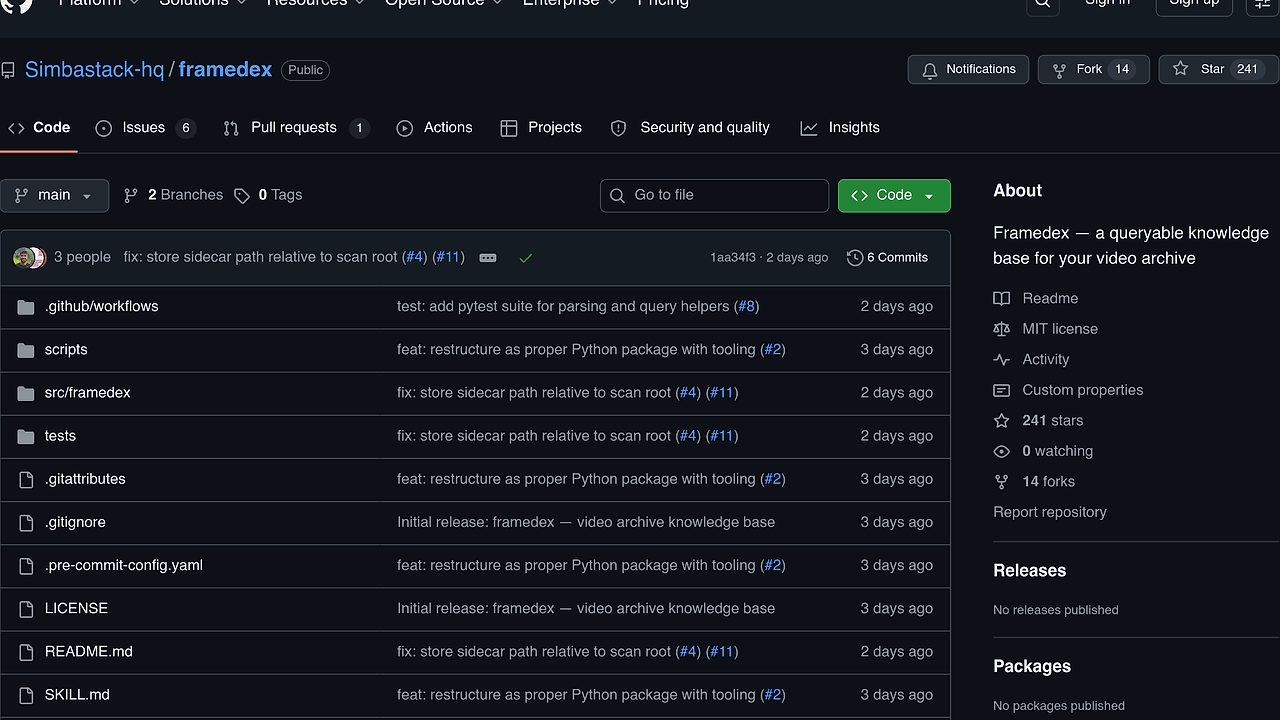
framedex is a Claude Code skill built by Simbastack-hq that turns a local video archive into a queryable knowledge base, and it is one of the best Video Archive Indexer tools for archivists, editors, and developers managing multi-SSD libraries. It installs the fdx command-line tool and processes each clip into a plain-text .description.md sidecar with GPS, multilingual transcription, translation, face detection, and a vision-generated scene summary. The pipeline supports 99 Whisper languages and keeps the original media untouched.
The design is intentionally local-first and non-destructive. Each drive gets its own sidecars and _INDEX.json, while ~/.framedex/faces.db centralizes embeddings so person queries can span multiple archives without copying the videos themselves. If you need a drive-native index that survives across machines, framedex is closer to a file system workflow than a cloud media manager.
Quick Overview
| Attribute | Details |
|---|---|
| Type | Video Archive Indexer |
| Best For | archivists, editors, and developers managing large local video libraries |
| Language/Stack | Python, ffmpeg, exiftool, WhisperX, pyannote, insightface, Anthropic, and LM Studio |
| License | N/A |
| GitHub Stars | N/A as of May 2026 |
| Pricing | Open-Source |
| Last Release | N/A |
Who Should Use framedex?
- Archive-heavy teams — Use framedex when you need searchable text, location data, and scene summaries for thousands of clips spread across external SSDs, shuttle drives, or NAS mounts.
- Indie filmmakers and editors — Use framedex when you want to find a shot by spoken words, faces, or scene content without opening every file in a NLE.
- Developers building media tooling — Use framedex when you want a reproducible, scriptable ingest pipeline that writes plain Markdown sidecars instead of locking data into a proprietary database.
- Teams with multilingual footage — Use framedex when your archive mixes English, Spanish, or other languages and you need original transcripts plus English translations in the same artifact.
Not ideal for:
- Teams that want a polished browser UI first and file system artifacts second.
- Workflows that cannot tolerate any cloud calls unless
--backend localis enforced end to end. - Short-form editorial teams that only need timeline editing, color grading, or export presets.
Key Features of framedex
- Sidecar-first indexing — framedex writes a
.description.mdfile next to each clip, so the metadata travels with the media instead of living in an isolated app database. That makes the archive portable across machines and resilient to app churn. - Metadata extraction pipeline —
ffprobecaptures duration, codec, resolution, and creation time, whileexiftoolpulls GPS latitude, longitude, and altitude. That gives you machine-readable facts before any AI model is involved. - Geocoding with rate limits — Nominatim reverse-geocodes GPS into place names and is throttled to 1 request per second with a polite user agent. That is the right trade-off for bulk archive enrichment without hammering an open geocoding service.
- Transcript generation with diarization — WhisperX handles speech-to-text, word-level alignment, and pyannote speaker diarization. If
HF_TOKENis missing, framedex can still transcribe, but speaker labels are skipped. - Translation for non-English clips — non-English footage gets a second WhisperX translate pass so the sidecar carries both the original transcript and an English version. That is useful when an archive mixes field recordings, crew chatter, and multilingual interviews.
- Face detection and embeddings —
insightfaceextracts faces and 512-dimensional embeddings from sampled JPEG frames. The embeddings power cross-drive person search while the actual video stays on disk. - Structured vision summaries — the vision backend emits a single structured description with Scene, Subjects, Action, Mood, Shot type, Use cases, and a keep/review/cull rating. That makes the output queryable instead of just poetic.
framedex vs Alternatives
| Tool | Best For | Key Differentiator | Pricing |
|---|---|---|---|
| framedex | Local video archive indexing with sidecars | File-native knowledge base with transcripts, faces, geocoding, and vision summaries | Open-Source |
| Descript | Transcript-first editing and clip review | Strong editor UX, but the data lives in a product workflow rather than sidecar Markdown | Paid |
| Adobe Premiere Pro | Professional NLE work | Deep timeline editing, effects, and production pipeline integration | Paid |
| PhotoPrism | Browser-based media browsing | Good for photo/video catalogs, but not designed around transcript-rich clip sidecars | Open-Source |
Pick framedex when your goal is long-lived archive search, not editing. Pick Descript when editors need a cloud UI to cut dialogue and publish clips fast. If your team lives in a timeline and needs color, audio sweetening, and deliverables, Adobe Premiere Pro is the right tool.
If you want a broader knowledge store for documents rather than footage, DataHaven is the closer fit. For promptable memory workflows over notes and project context, Mnemosyne is more relevant. If your team already standardizes on Claude workflows, Claude Context Mode pairs well with framedex because both are optimized for structured context extraction.
How framedex Works
framedex uses a deterministic ingest pipeline that starts with file metadata and ends with a Markdown artifact that can be searched by humans or downstream scripts. The core abstraction is simple: every clip gets a sidecar with YAML frontmatter for structured facts and a Markdown body for narrative description, transcript blocks, and translation. That format is easy to grep, index with ripgrep, feed into an LLM, or sync with Git.
The per-clip flow is deliberately staged so failures are recoverable. It pulls media facts with ffprobe and exiftool, reverse-geocodes GPS with Nominatim when enabled, samples five evenly spaced JPEG frames at up to 1920 pixels wide, extracts mono 16 kHz audio, then runs WhisperX for speech, alignment, and diarization before sending a compact multimodal prompt to the vision backend. The last step writes the sidecar only after the pipeline has enough data to produce a useful summary.
# getting started example
fdx /Volumes/SSD-2024 --max-files 5
fdx /Volumes/SSD-2024
fdx-summary /Volumes/SSD-2024
fdx-master /Volumes/SSD-2024
That sequence lets you validate dependencies, process a small sample, then scale to the full drive once the output looks sane. On re-runs, framedex skips clips that already have sidecars unless you add --force, so the workflow is resumable and idempotent. If you need person search across archives, the shared face database keeps embeddings centralized while each drive still remains self-contained.
Pros and Cons of framedex
Pros:
- Writes plain-text sidecars next to each clip, so the knowledge base survives app changes and sync tools.
- Keeps originals untouched, which matters when the archive is authoritative or legally sensitive.
- Supports multiple backends for vision summaries, including fully local LM Studio, Anthropic API, or Claude Max via
claude -p. - Combines metadata, transcript, translation, scene description, and face embeddings in one ingest pass.
- Resumable runs and
--forcereprocessing make it practical for very large libraries. - Works well with shell tooling because the output is Markdown plus YAML frontmatter, not a closed schema.
Cons:
- Setup is heavier than a single-purpose media catalog because it depends on
ffmpeg,exiftool, WhisperX, pyannote, and optionally Anthropic or LM Studio. - Diarization requires a Hugging Face token and acceptance of pyannote terms, which adds account friction.
- Cloud-backed vision modes send sampled frames and transcript snippets off-device unless you use
--backend local. - There is no browser-native review queue in the scraped page text, so human curation still needs external tooling or scripts.
- Processing can be slow on long clips or large archives, especially with
--whisper-model large-v3and face analysis enabled.
Getting Started with framedex
Install framedex as a Claude Code skill, verify the dependencies, then run it against a small folder before indexing the whole archive. The quickstart below matches the repository instructions and uses uv so editable changes take effect immediately.
# Clone into your Claude Code skills directory
git clone [email protected]:Simbastack-hq/framedex.git ~/.claude/skills/framedex
cd ~/.claude/skills/framedex

# Install Python deps in editable mode
uv pip install -e .

# Verify system binaries and pre-download models
python3 scripts/setup.py

# Test on a small subset first
export HF_TOKEN=hf_yourTokenHere
fdx /Volumes/SSD-2024 --max-files 5
After the test run, inspect the generated .description.md files in the same folders as the videos. If the transcripts, location data, and scene descriptions look correct, rerun without --max-files and then generate summaries with fdx-summary and fdx-master. If you want fully local vision output, switch to --backend local and point it at an OpenAI-compatible server such as LM Studio.
Verdict
framedex is the strongest option for sidecar-based video archive indexing when you care about portability, transcript search, and privacy-controlled ingestion. Its biggest strength is the file-native data model; the main caveat is setup complexity across WhisperX, pyannote, and optional cloud backends. If you want durable archive intelligence instead of a proprietary media database, framedex is the right pick.