What Is Forge?
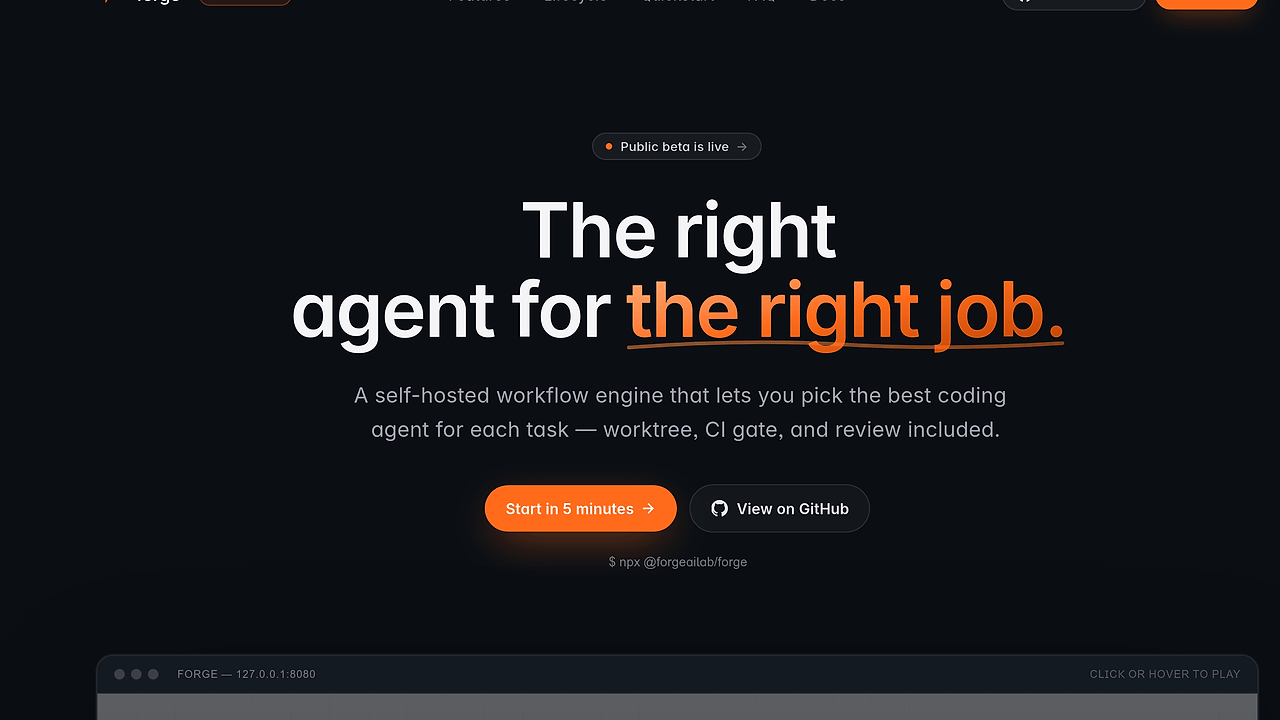
Forge is a Rust-based, MIT-licensed AI coding agent orchestration platform from ForgeAILab that gives each task its own git worktree, then runs CI and review before changes reach main. Forge is one of the best AI Coding Agent Orchestration tools for developers and small teams running multiple agents on one repository. The system already models a 5-state lifecycle (todo → in_progress → review → merging → done) and ships as a single local binary with CLI, REST, MCP, and web UI surfaces.
Quick Overview
| Attribute | Details |
|---|---|
| Type | AI Coding Agent Orchestration |
| Best For | developers and small teams running multiple coding agents on one repository |
| Language/Stack | Rust, SQLite, React, REST API, MCP JSON-RPC, git worktrees |
| License | MIT |
| GitHub Stars | N/A as of Feb 2026 |
| Pricing | Open-Source |
| Last Release | N/A — public beta (0.1.x) |
Who Should Use Forge?
- Multi-agent repo operators who already run Claude Code, Codex, or Gemini side by side and need hard isolation so parallel edits do not collide.
- Small platform teams that want a visible task state machine, an audit trail, and a review gate before any agent-generated diff lands in
main. - Indie hackers building local automation around AI coding agents who want a self-hosted control plane instead of a hosted dashboard.
- Toolsmiths and internal platform engineers who need a hackable orchestration layer with REST, MCP, and CLI access to wire into scripts, editors, and bots.
Not ideal for:
- Teams that only want a chat panel inside the editor and do not need task orchestration.
- Users who do not have a local git repo workflow or who want a purely cloud-hosted SaaS.
- Orgs that need a stable 1.0 API right now, because Forge is still in public beta and can change quickly.
Key Features of Forge
- Per-task git worktrees — Forge creates an isolated worktree for every task, so two agents can edit the same repository in parallel without stepping on each other. That design keeps unmerged work off the primary checkout and reduces accidental cross-task contamination.
- CI-backed review gate — A task can define
ci_steps, and Forge blocks thereview → mergingtransition until those checks pass. That makes the merge path explicit and avoids treating human approval as an afterthought. - Structured task lifecycle — Forge tracks
todo,in_progress,review,merging, anddone, plus cancellation paths and an audit log. The result is a state machine that is easier to inspect than a pile of ad hoc agent sessions. - BYO agent adapters — Forge includes first-class adapters for Claude Code, Codex, Gemini, opencode, and a generic shell executor. If your internal agent is custom, the adapter model is small enough to extend without rewriting the control plane.
- One binary, four entry points — The same local process exposes a REST API, an MCP JSON-RPC endpoint, the
forge-ctlCLI, and a React web UI. That means a script, an IDE, and a browser all talk to the same underlying workflow engine. - Local-first persistence — Forge uses SQLite and a loopback-only server with a persisted local port, so state stays on disk and does not depend on a remote SaaS control plane. For teams that care about privacy or offline operation, that is the main architectural win.
- Auditability and log reconstruction — Execution logs are stored in a JSONL-friendly shape that can be used to reconstruct chat history and task execution. That matters when you need to explain why an agent chose a specific patch or why a merge stalled.
Forge vs Alternatives
| Tool | Best For | Key Differentiator | Pricing |
|---|---|---|---|
| Forge | Local-first orchestration of multiple coding agents in one repo | Per-task worktrees plus CI and review gates in a single binary | Open-Source |
| OpenSwarm | Broader agent swarm coordination | Better if you want swarm-style automation beyond repo-scoped task lifecycle control | Open-Source |
| Claude Code Canvas | Interactive Claude-centric coding sessions | Better for a single-agent canvas workflow inside a tighter editing loop | Open-Source |
| Claude Context Mode | Prompt and context management for Claude workflows | Better when your main problem is context shaping, not multi-agent repo execution | Open-Source |
Pick OpenSwarm instead of Forge when you care more about distributed agent choreography than repository-level merge gating. Pick Claude Code Canvas when one agent and one workspace are enough and you want a more interactive editing surface.
Pick Claude Context Mode when the bottleneck is prompt discipline, context packaging, or conversation structure rather than task execution. Forge is the better fit when the hard problem is not generating code, but making sure several generated changes can land in the same repo without collisions.
How Forge Works
Forge keeps the control plane local and stateful. The core idea is simple: every task gets its own git worktree, the daemon executes the chosen agent inside that isolated checkout, and the task only advances when checks pass. That means the repo's main working tree stays clean while the workflow engine records each transition in SQLite and the audit log.
The architecture is opinionated about boundaries. The daemon reports which agent CLIs are installed on the host, the workflow engine stores task state and repo metadata, and the review gate uses configured CI steps plus optional human approval before merge. Forge exposes the same engine through REST, MCP, CLI, and the React UI, so automation and manual review do not diverge.
npx @forgeailab/forge --demo
That command starts Forge with seeded demo data so you can inspect the management UI immediately. Open the printed management_url, then watch a sample task move through the workflow while the fake daemon report shows how agent execution is modeled.
If you already have Claude Code, Codex, Gemini, or opencode installed, Forge can auto-detect them through the local daemon and register them as executors. The design keeps the protocol surface small and the operator experience predictable: one server, one database, one workflow engine, and multiple agent backends.
Pros and Cons of Forge
Pros:
- Strong repo isolation through git worktrees, which is the right primitive for concurrent agent edits.
- Clear merge gating because CI steps and review approval are modeled as part of the workflow, not layered on afterward.
- Local-first data model with SQLite and a loopback-bound server, which avoids SaaS dependency and keeps state on disk.
- Multiple interfaces via REST, MCP, CLI, and web UI, which makes Forge usable from scripts, editors, and browsers.
- Extensible agent support with built-in adapters for several coding agents and a shell escape hatch for custom executors.
- Inspectable task history thanks to explicit state transitions and execution logs that support postmortems.
Cons:
- Public beta status means APIs, schemas, and CLI flags can change without deprecation cycles.
- Single-user focus today makes it less attractive for teams that need mature multi-user permissions and org-level policy controls.
- Local-host assumptions mean you need a machine with the relevant agent CLIs installed, plus a real git checkout to operate on.
- More moving parts than a chat UI because you are managing tasks, daemons, worktrees, and gates instead of just prompts.
- Not a hosted service so teams expecting browser-only onboarding and centralized cloud governance will have extra setup work.
Getting Started with Forge
# Run instantly without installing
npx @forgeailab/forge --demo

# Install on macOS or Linux
brew install forgeailab/tap/forge

# Or bootstrap the latest release directly
curl -fsSL https://raw.githubusercontent.com/ForgeAILab/forge/main/install.sh | bash

# Start the local server with demo data
forge --demo
After the server starts, open the management_url printed in the logs. You should see a demo project, a labeled task, and a fake daemon report that proves the control plane is alive.
If you want to test real work, point Forge at a local repository, configure an agent adapter, and define ci_steps for the review gate. If you prefer to build from source, the repo also supports cargo run -p forge-cli -- --demo, which is useful when you want to inspect the Rust code path directly.
Verdict
Forge is the strongest option for teams that run multiple coding agents against the same repository when they need hard isolation and a merge gate. Its biggest advantage is the per-task worktree plus CI-backed workflow, and its main caveat is public-beta churn. Choose Forge if you want local control and auditability, not a hosted chat layer.