What Is EmDash?
EmDash is a full-stack TypeScript CMS built by the emdash-cms project on Astro and Cloudflare for developers shipping content-heavy sites on serverless infrastructure. EmDash is one of the best Astro CMS tools for full-stack TypeScript developers, and the README points out a quantified WordPress risk: 96% of WordPress security vulnerabilities come from plugins, while EmDash moves plugins into sandboxed Worker isolates.
That matters if you want WordPress-style extensibility without giving every extension direct database and filesystem access. EmDash also stores structured content with Portable Text, exposes an MCP server for AI tooling, and runs on Cloudflare D1, R2, and Workers or on Node.js with SQLite when you want a simpler deployment path.
Quick Overview
| Attribute | Details |
|---|---|
| Type | Astro CMS |
| Best For | full-stack TypeScript developers, Astro builders, and Cloudflare-native teams |
| Language/Stack | Astro, TypeScript, Cloudflare Workers, D1, R2, Kysely, SQLite, Portable Text |
| License | N/A |
| GitHub Stars | N/A |
| Pricing | Open-Source |
| Last Release | N/A |
Who Should Use EmDash?
- Astro teams building blogs, docs, portfolios, or marketing sites that want content and front-end code in the same runtime.
- TypeScript-heavy product teams that want generated types from the live schema instead of hand-maintained content interfaces.
- Security-conscious maintainers who do not want plugins running with broad database, filesystem, or user-data access.
- Indie hackers and agencies who need a self-hostable CMS that can run on Cloudflare D1/R2 or on plain Node.js with SQLite.
Not ideal for:
- Hosted-content teams that want a zero-setup SaaS studio and do not care about self-hosting.
- Projects that need a massive third-party plugin marketplace today rather than a smaller, controlled extension model.
- Teams that will not pay for Cloudflare Dynamic Workers but still want sandboxed plugins on Cloudflare.
Key Features of EmDash
- Sandboxed Worker plugins — Each plugin declares capabilities and runs in an isolated Worker sandbox. The manifest model means a plugin can request
read:contentoremail:sendwithout getting unrestricted runtime access to the process, database, or filesystem. - Portable Text content model — Rich text is stored as structured JSON, not serialized HTML. That lets the same entry render in Astro, a mobile app, an email pipeline, or an API response without brittle HTML parsing.
- Live collections and typed SQL tables — Collections are defined in the database, then surfaced in the admin UI as real tables with typed columns.
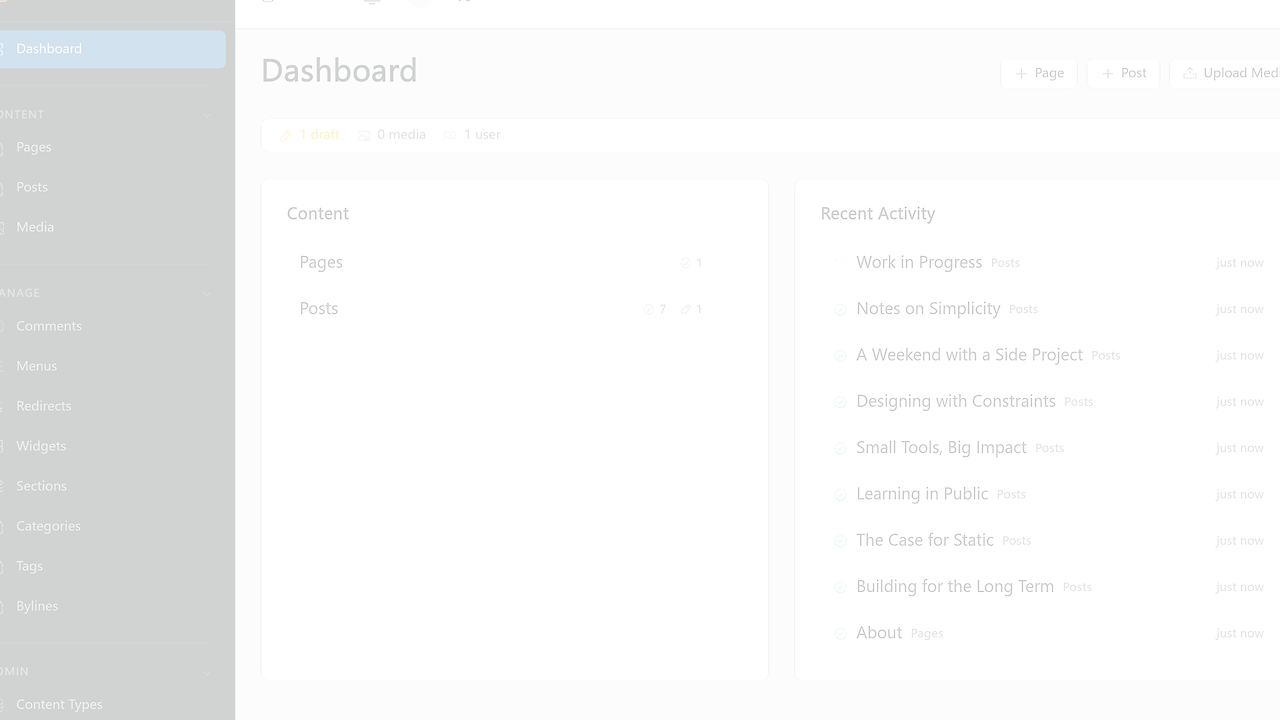
npx emdash typesemits TypeScript types from the live schema, which reduces drift between content and frontend code. - Admin tooling that covers editorial ops — The dashboard includes a visual schema builder, media library with signed URL uploads, taxonomies, navigation menus, widgets, drafts, revisions, scheduled publishing, and inline editing. That replaces a pile of separate admin plugins in one interface.
- Passkey-first authentication — EmDash uses WebAuthn first, then falls back to OAuth and magic links. Role-based access control includes Administrator, Editor, Author, and Contributor, which is enough for small editorial teams and larger review workflows.
- Migration and agent support — EmDash imports from WXR, the WordPress REST API, and WordPress.com, then adds agent skills, a CLI, and a built-in MCP server. Teams already using Claude Context Mode, Brainstorm MCP, or OpenSwarm can plug it into AI-assisted content operations without custom glue.
- Portable storage and deployment — The same project can target D1, SQLite, Turso/libSQL, PostgreSQL, R2, AWS S3, or local files through portable abstractions. That keeps the data model predictable even when the hosting layer changes.
EmDash vs Alternatives
| Tool | Best For | Key Differentiator | Pricing |
|---|---|---|---|
| EmDash | Astro-first content sites with typed schemas and isolated plugins | Cloudflare Worker sandboxing plus Portable Text | Open-Source |
| WordPress | Teams that want the biggest theme and plugin marketplace | Mature ecosystem, but PHP and a wide plugin attack surface | Free |
| Payload CMS | Node and TypeScript teams that want a self-hosted admin and API | Strong developer ergonomics and flexible content modeling | Open-Source |
| Sanity | Editorial teams that want managed content infrastructure | Hosted studio and content API with minimal ops | Freemium |
Pick WordPress when you need the largest ecosystem and you are fine living with PHP, plugin sprawl, and more cache tuning. EmDash is the better choice when plugin isolation and type safety matter more than ecosystem depth.
Pick Payload CMS when you want a TypeScript-first CMS on Node.js and do not need Astro-native rendering or Cloudflare Worker sandboxing. Payload is a strong general-purpose CMS, while EmDash is more opinionated about Astro integration and portable deployment.
Pick Sanity when you want a hosted studio and a managed content API with less infrastructure work. EmDash wins when you want to own the stack, keep data portable, and avoid vendor lock-in around your content runtime.
How EmDash Works
EmDash is an Astro integration that injects the admin panel, REST API, authentication layer, media library, and plugin system into the same application. Under the hood it uses Kysely for SQL access and portable storage adapters, so one schema can point at SQLite, D1, Turso/libSQL, or PostgreSQL without rewriting the application layer.
Content collections are schema-driven. Non-developers shape them in the admin UI, while developers generate types with npx emdash types and query content with Astro Live Collections, which removes a separate fetch round trip and keeps rendering server-side.
import emdash from 'emdash/astro';
import { d1 } from 'emdash/db';

export default defineConfig({
  integrations: [emdash({ database: d1() })],
});
That config wires EmDash into Astro and tells it to use Cloudflare D1 as the backing database. After that, the CMS can serve entries through getEmDashCollection() in .astro files, and the same project can swap in SQLite or PostgreSQL if deployment constraints change.
Plugin execution is the most important design choice. A plugin declares a capability manifest, then runs in a Worker isolate with only those capabilities, which is cleaner than letting PHP extensions or Node plugins touch the whole process. If your stack already uses Claude Context Mode or Brainstorm MCP, EmDash's built-in MCP server gives those clients a direct protocol instead of forcing them to scrape the admin UI.
Pros and Cons of EmDash
Pros:
- Strong plugin isolation keeps untrusted extensions inside Worker sandboxes instead of handing them the whole server process.
- Type generation from live schema reduces mismatch between the CMS model and Astro components.
- Portable deployment story works on Cloudflare or on Node.js with SQLite, which makes local development practical.
- Structured content storage avoids the HTML-in-the-database problem that makes migrations painful in older CMS stacks.
- WordPress migration support shortens the path for teams moving existing posts, media, and taxonomies.
- Agent-friendly interface gives AI tools a real API surface through the CLI and MCP server.
Cons:
- Secure sandboxed plugins require Cloudflare Dynamic Workers, which means a paid Cloudflare account for the full plugin model.
- Beta preview status means the ecosystem, docs, and extension catalog are still smaller than mature CMS platforms.
- Astro-first architecture is a fit for Astro teams, but it is less attractive if your front end lives elsewhere.
- Hosted-studio convenience is missing, so teams expecting a fully managed SaaS CMS will need to own more of the stack.
- Plugin marketplace depth is still limited compared with WordPress, so some niche integrations will take custom work.
Getting Started with EmDash
npm create emdash@latest
cd emdash
pnpm install
pnpm --filter emdash-demo seed
pnpm --filter emdash-demo dev
That flow creates a starter project, installs dependencies, seeds the demo database, and starts the local app. The admin is available at http://localhost:4321/_emdash/admin, and the demo runs on Node.js plus SQLite so you can inspect the CMS before touching Cloudflare.
If you deploy to Cloudflare and want sandboxed plugins, keep the worker_loaders block in wrangler.jsonc and make sure your account has Dynamic Workers enabled. If you are on a free account and only want the core CMS, EmDash can still run after you comment out that block.
Verdict
EmDash is the strongest option for Astro-first teams that want CMS extensibility without WordPress plugin risk. Its best strength is sandboxed Worker plugins backed by type-safe schema generation, and its main caveat is the paid Cloudflare requirement for secure plugin loading. Choose EmDash when control and portability matter more than SaaS convenience.